
Counting the characters in a text, removing duplicate lines, sorting a list, comparing two sets of values, or automatically transforming each line are simple operations, but they can quickly become tedious when done manually. AppErgo’s Text category brings together 13 tools designed for these everyday tasks. Some analyze content, while others clean, reorganize, or transform it. They can be used individually for a quick operation, or combined when a text or list requires several successive processing steps.
Analyze, clean and standardize text
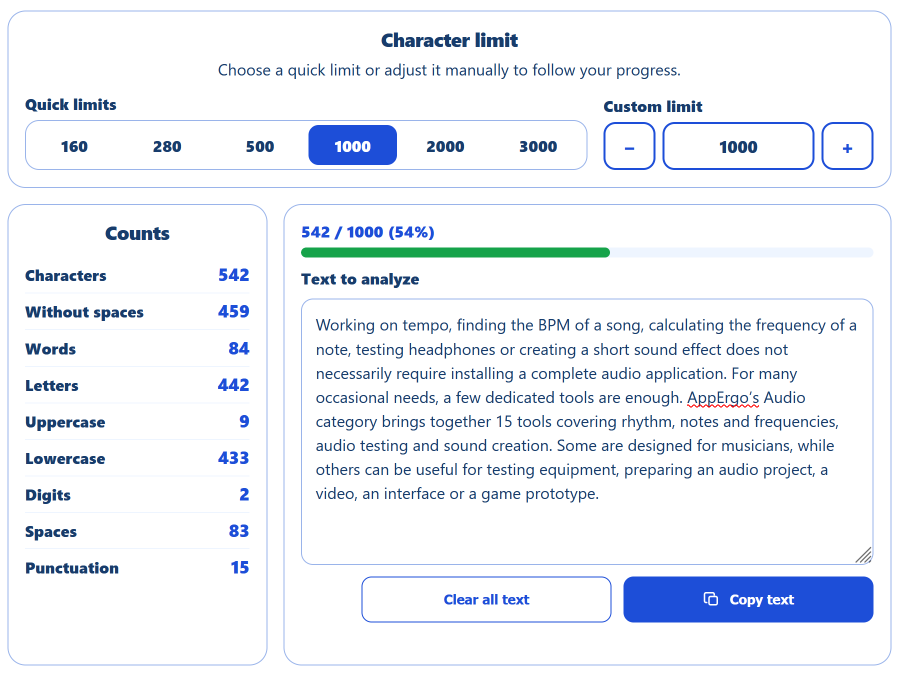
The Text Counter provides a quick overview of a piece of content: number of characters with or without spaces, words, letters, digits, uppercase letters, lowercase letters, spaces and punctuation marks. A limit can also be set to track the length of a title, description, post or any field subject to a specific restriction. A progress bar then immediately shows how much of the limit has been used and how much remains.
When text comes from a copy and paste, the problem is often different. Multiple spaces, empty lines, invisible characters or duplicates may have found their way into the content. The Text Cleaner lets you remove only the unwanted elements without applying unnecessary changes to the entire text. It can therefore be a useful first step before sorting, filtering or comparing content.
The Case Converter addresses another common need: quickly standardizing the formatting of text. It can convert content to uppercase, lowercase, sentence case or title case, while also providing formats more suited to web development and programming, such as slugs, camelCase and snake_case. An expression such as “My new tool” can therefore be adapted in a few seconds for use as a URL, identifier or variable name.
Finally, when the same expression appears many times, the Find and Replace Text tool avoids having to make each change manually. Searches can be case-sensitive or restricted to whole words, making it possible, for example, to standardize terminology in a draft or replace a repeated value in a long list without changing occurrences that are not actually concerned.
Sort, clean, filter and compare lists
A significant part of AppErgo’s Text tools focuses on data organized line by line. The Line Sorter can arrange a list alphabetically, numerically or by line length, in ascending or descending order. Additional options can remove empty lines, trim spaces or ignore differences between uppercase and lowercase letters. This is useful for lists of names or keywords as well as values copied from a document, spreadsheet or exported file.
When repeated values are the main problem, the Remove Duplicate Lines tool provides more control. It can keep either the first or last occurrence, ignore case or surrounding spaces, and remove empty lines. A list containing “AppErgo”, “APPERGO” and “appergo” can therefore be treated as containing a single value when case differences are ignored.
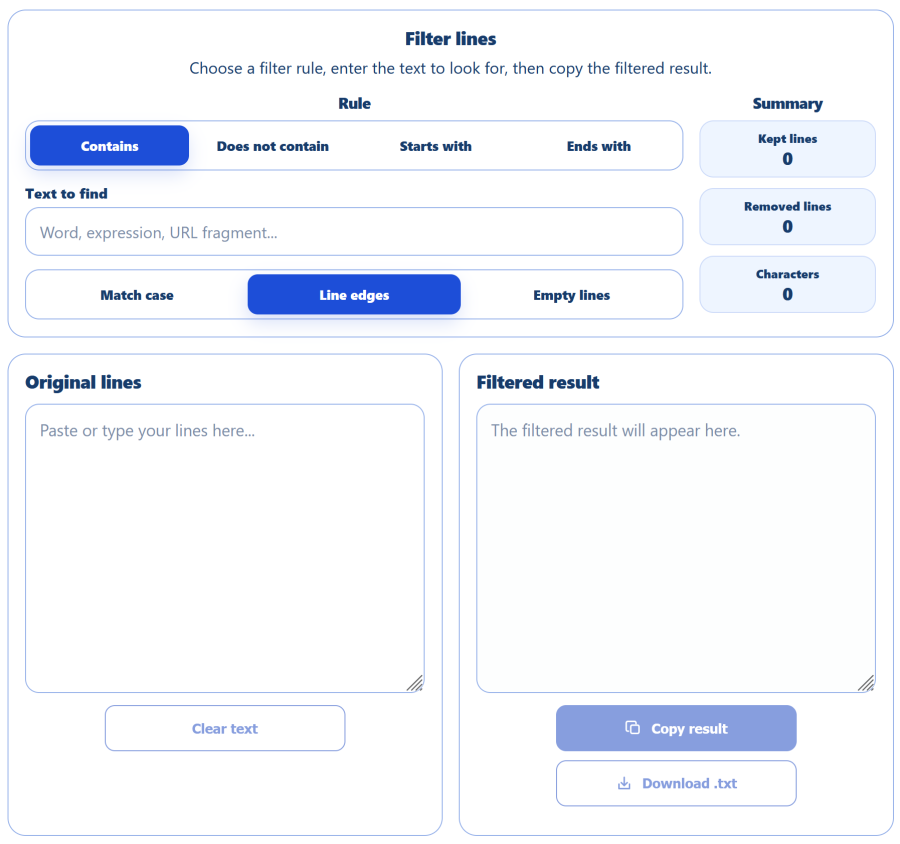
The Filter Lines tool can then be used to keep only part of the data. It can select lines containing an expression, remove those containing it, or search only at the beginning or end of each line. In a list of URLs, for example, it becomes possible to keep only addresses belonging to a specific directory. In a text export, the same principle can instead be used to discard every line containing an unwanted value.
Finally, the Compare Lists tool lets you compare two sets of data and immediately see what has changed. Results are divided into items shared by both lists, items found only in the first list and items found only in the second. If an old list contains A, B and C while a new one contains B, C and D, the tool immediately identifies A as removed and D as newly added. This is particularly useful for comparing URL lists, inventories, identifiers or exports created at different times.
These four tools can naturally be used together. An export containing several hundred lines can be cleaned, stripped of duplicates, filtered and sorted before being compared with a previous version. Each operation remains independent, so only the transformations that are actually needed have to be applied.
Extract, restructure and transform content
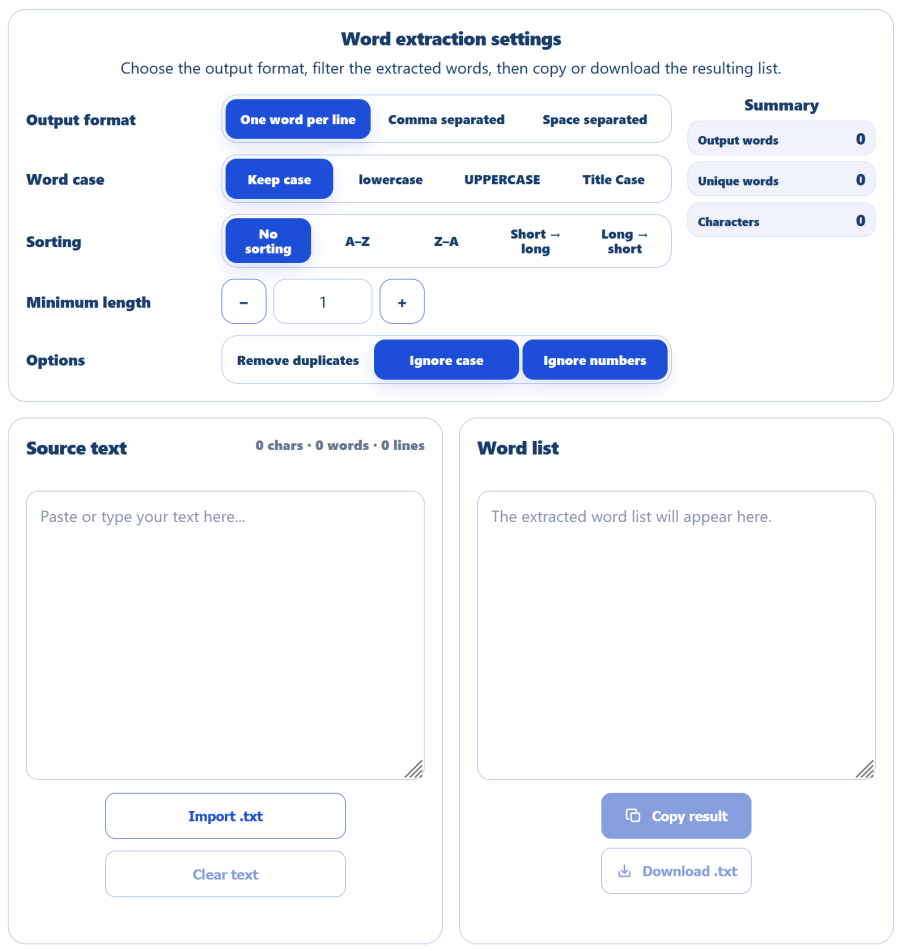
Some tasks involve more than simply cleaning existing text and instead require changing its structure entirely. The Extract Words from Text tool, for example, turns continuous text into a list of words. The result can be displayed with one word per line, separated by commas or separated by spaces, and can then be sorted and filtered. Duplicate words or numbers can be removed, case can be standardized, and only words above a chosen minimum length can be kept. This can be useful for preparing a vocabulary list, collecting words for a game or puzzle, cleaning a small corpus or simply isolating the vocabulary used in a text.
The Add Prefix/Suffix to Lines tool performs a different kind of transformation: it starts with an already structured list and automatically adds content around each item. A plain list can therefore become a Markdown list, a series of quoted values or a set of HTML <li> elements. The tool also supports numbering and includes a custom mode using variables representing the number and content of each line. A template such as {n}. {line} is enough, for example, to generate a complete numbered list.
For larger pieces of content, Split Text can divide a document according to a number of characters, words, lines or paragraphs. A custom separator can also be used. The tool can avoid splitting words in the middle whenever possible, making it useful for dividing long notes, segmenting a document, preparing content for several fields or splitting text before processing it elsewhere.
Reverse Text offers several ways to reverse the order of content. Character mode can turn ABCDE into EDCBA, while the other modes reverse the order of words, lines or paragraphs without changing their internal content. This simple function can be useful for manipulating a list, preparing a puzzle or experimenting with different text structures.
Create placeholder text for a mockup
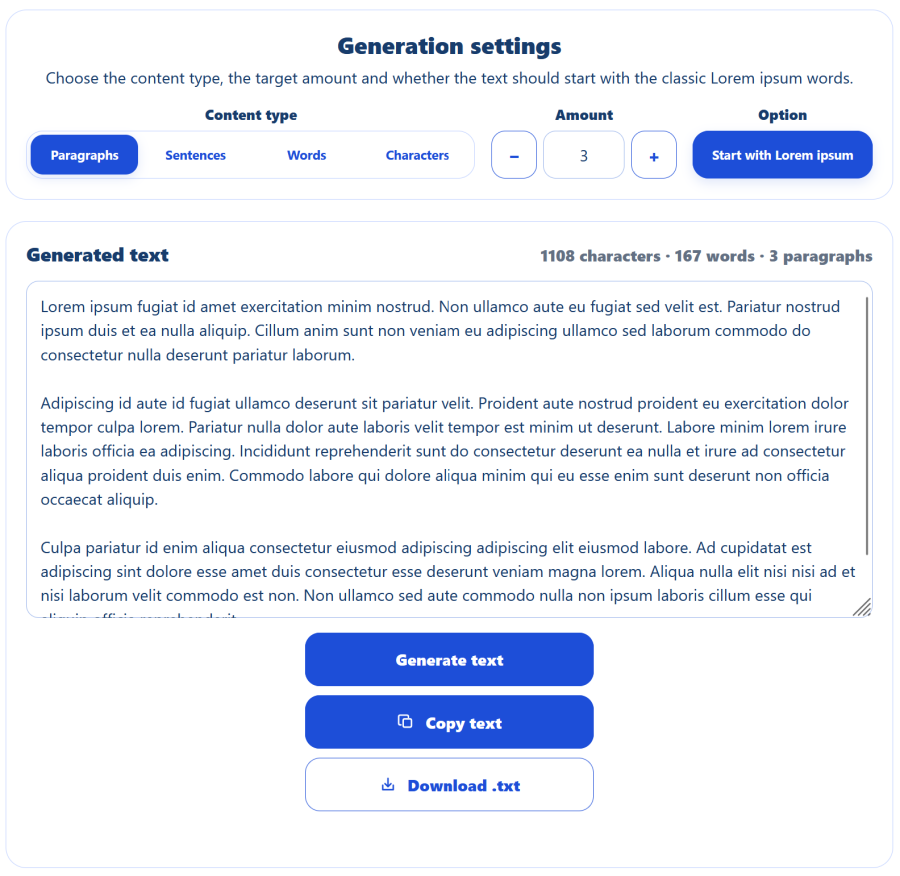
The thirteenth tool addresses a slightly different need. When an interface or layout does not yet have its final content, the Lorem Ipsum Generator can quickly fill different areas with placeholder text. It can generate paragraphs, sentences, words or a specific number of characters.
This last option is particularly useful for testing a card, description or component with a defined length constraint. Rather than filling an interface with just a few words that do not reflect real-world use, it becomes possible to check its behavior with an amount of content closer to what is actually expected.
Simple, fast and local tools
The philosophy behind the Text category is not to replace a full word processor or spreadsheet application, but to provide focused tools for occasional tasks: cleaning a list, removing duplicates, filtering lines, counting characters or quickly transforming content. Several tools can also be combined when a task requires multiple steps.
All these operations are performed directly in JavaScript in the browser. Once the page has loaded, text and compatible .txt files are processed locally, without being sent to a server. This keeps the tools fast, lightweight and usable without an account or installation. All 13 tools are available for free in AppErgo’s Text category.