
Working on tempo, finding the BPM of a song, calculating the frequency of a note, testing headphones or creating a short sound effect does not necessarily require installing a complete audio application. For many occasional needs, a few dedicated tools are enough. AppErgo’s Audio category brings together 15 tools covering rhythm, notes and frequencies, audio testing and sound creation. Some are designed for musicians, while others can be useful for testing equipment, preparing an audio project, a video, an interface or a game prototype.
Work with rhythm and tempo
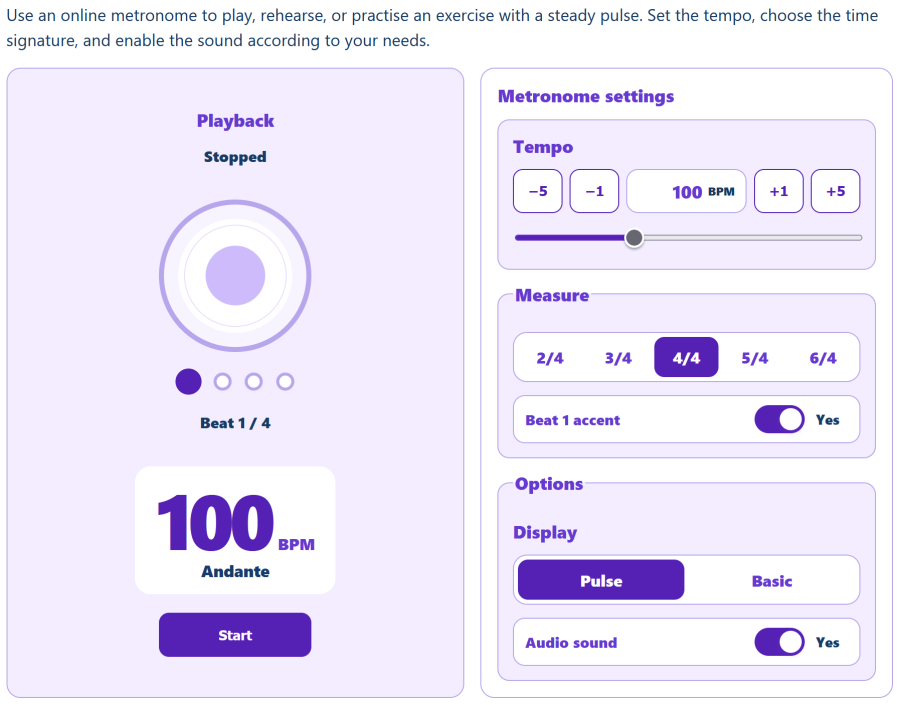
The Metronome lets you simply choose a tempo in BPM and a time signature to obtain a regular pulse, both audible and visual. At 60 BPM, one beat occurs every second; at 120 BPM, every half second. The first beat of each measure can be accented, and the sound can be disabled when a visual indication is enough. Traditional markings such as largo, andante, allegro or presto also provide useful reference points, although BPM remains more precise when you need to reproduce an exact speed.
The Advanced Metronome goes further by allowing more structured practice exercises. Its progressive mode can start at a chosen tempo and automatically increase the BPM after a defined number of measures. A difficult passage can therefore be practiced slowly before gradually increasing the speed, without interrupting the exercise. The tool also supports different rhythmic subdivisions such as eighth notes, triplets and sixteenth notes, as well as a count-in before playback begins.
The Tap Tempo works in the opposite direction: instead of choosing a BPM to produce a pulse, you reproduce a pulse to estimate its BPM. Simply tap several times along with a song, loop or musical idea. The tool measures the intervals between taps and progressively refines the estimate, over a range from 30 to 300 BPM.
Once the tempo is known, the Musical Duration Calculator converts it into directly usable values. From the BPM, it gives the duration in seconds and milliseconds of whole notes, half notes, quarter notes, eighth notes and sixteenth notes, as well as dotted notes and triplets. These values are particularly useful for synchronizing a delay or another effect with the tempo of a track. The tool also calculates the duration of several measures in 4/4.
Understand notes, tuning and frequencies
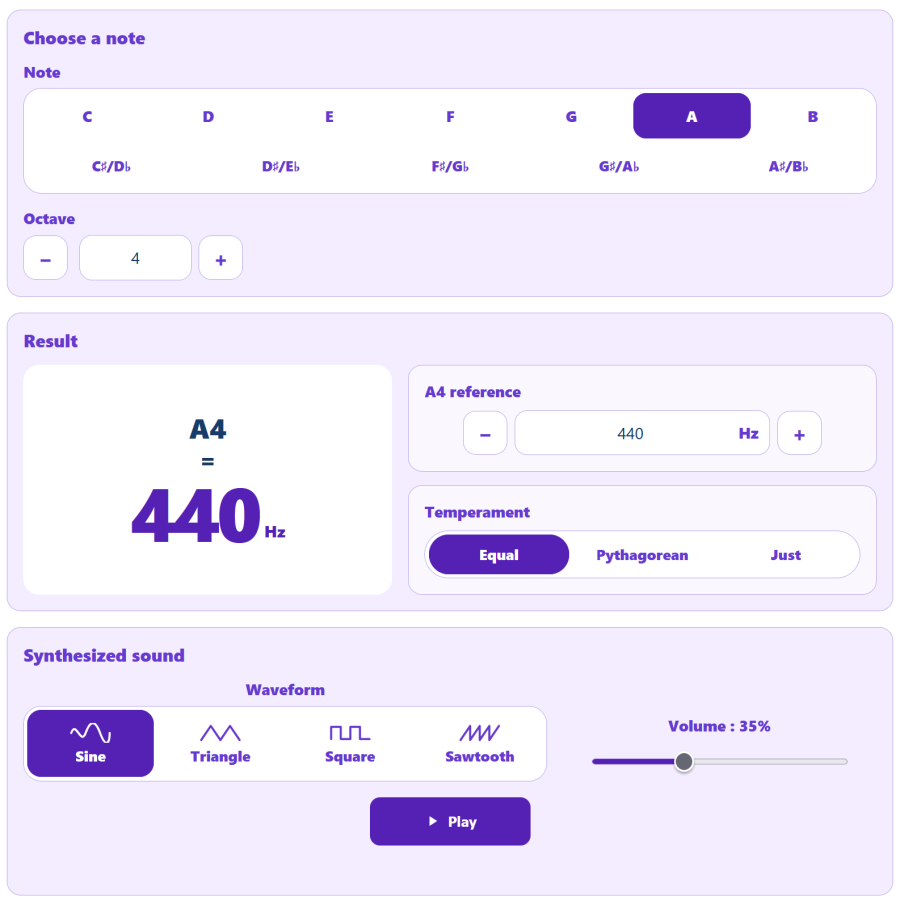
A musical note can be defined by its name and octave, but also by its frequency in hertz. The Note Frequency Calculator lets you quickly move from one representation to the other. It uses equal temperament, in which the octave is divided into twelve equal semitones, and uses A4 at 440 Hz by default. This reference frequency can be changed to recalculate all notes according to a different tuning reference.
The Advanced Note Frequency tool goes further by comparing several tuning systems. Equal temperament can be compared with Pythagorean and just intonation. Some enharmonic notes, such as C♯ and D♭, which have the same frequency in equal temperament, may then show small differences. The difference is also expressed in cents, a unit used to measure pitch variations precisely, and the calculated note can be synthesized directly in the browser.
For a more direct need, the Tuning Fork simply provides an A4 reference as a sine wave. Its frequency is set to 440 Hz by default, but it can be adjusted between 300 and 500 Hz. This makes it easy to obtain a tuning reference or simply hear the effect of changing the pitch by a few hertz.
Generate and explore sound frequencies
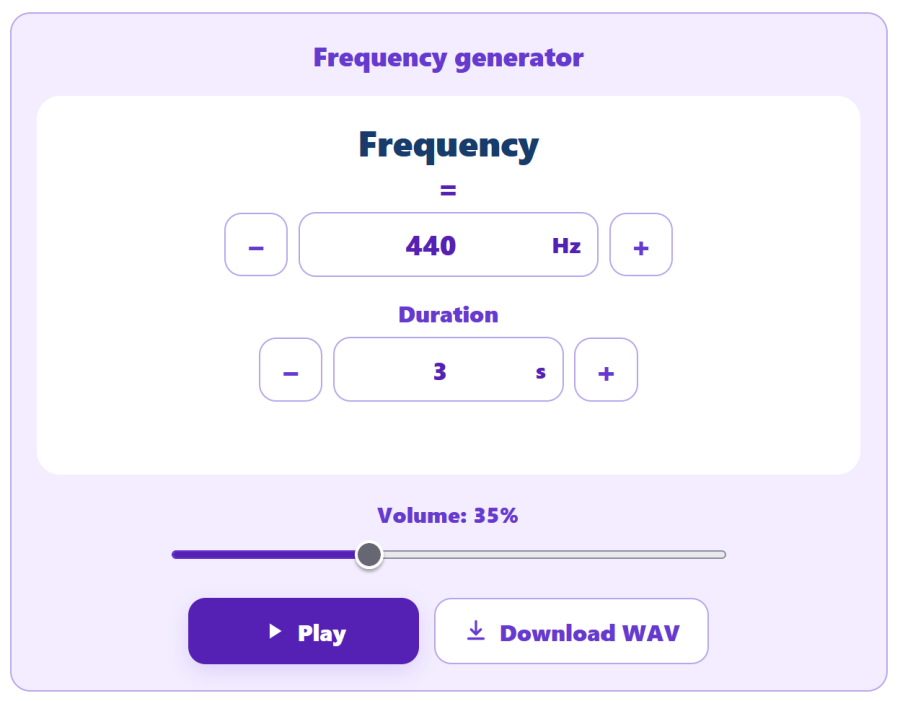
The Frequency Generator produces a sine wave between 20 Hz and 20,000 Hz. A frequency of 440 Hz, for example, corresponds to 440 signal oscillations per second. Because a sine wave is a very simple signal, it makes it possible to hear a precise pitch or perform different kinds of tests. The result can also be generated locally as a 16-bit mono WAV file.
The Frequency Sweep uses the same principle but continuously changes the sound between two values. The sweep can move upward or downward and last from 0.5 to 30 seconds. It provides a quick way to explore different areas of the frequency spectrum with headphones or speakers and may help reveal a resonance, vibration or range that seems noticeably weaker than the others. As with the Frequency Generator, the result can be exported as a WAV file.
The Audible Frequency Test is designed for quicker checks. Shortcuts let you jump directly between several frequencies ranging from 125 Hz to 16 kHz, while still allowing any value between 20 Hz and 20,000 Hz to be selected manually. This makes it easy to explore low, mid and high frequencies with a particular device. It is not, however, a medical hearing test: the result also depends on the headphones, speakers, volume, environment and hardware being used.
Finally, the Noise Generator uses signals that cover a much broader part of the spectrum than a pure tone. It provides white noise, which distributes its energy across the spectrum, pink noise, generally perceived as more balanced, and brown noise, which places greater emphasis on lower frequencies. These three types of noise can be useful for quickly comparing the behavior of headphones or speakers. Duration and volume can be adjusted, and the resulting signal can also be exported as a WAV file.
Test headphones or a stereo setup
The Stereo Test provides a simple way to check the left and right channels. A signal can be sent only to the left, only to the right or simultaneously to both channels to produce a centered image. With headphones, reversed channels are immediately noticeable; with speakers, the test can also reveal incorrect wiring, a missing channel or an obvious imbalance. A sine wave or pink noise can be used as the test signal.
The Audio Phase Test checks a different aspect of stereo reproduction. It compares an identical signal sent to both channels with a signal whose polarity is reversed on one side. In phase, the sound should generally feel stable and centered; out of phase, it often becomes more diffuse and the center less clearly defined. The effect is particularly easy to identify with headphones, while with speakers it also depends on their position and the acoustics of the room.
These tools remain practical checks rather than professional acoustic measurement instruments. Their main purpose is to provide an immediate way to investigate headphones, speakers or connections that seem to behave unexpectedly.
Create short sound effects quickly
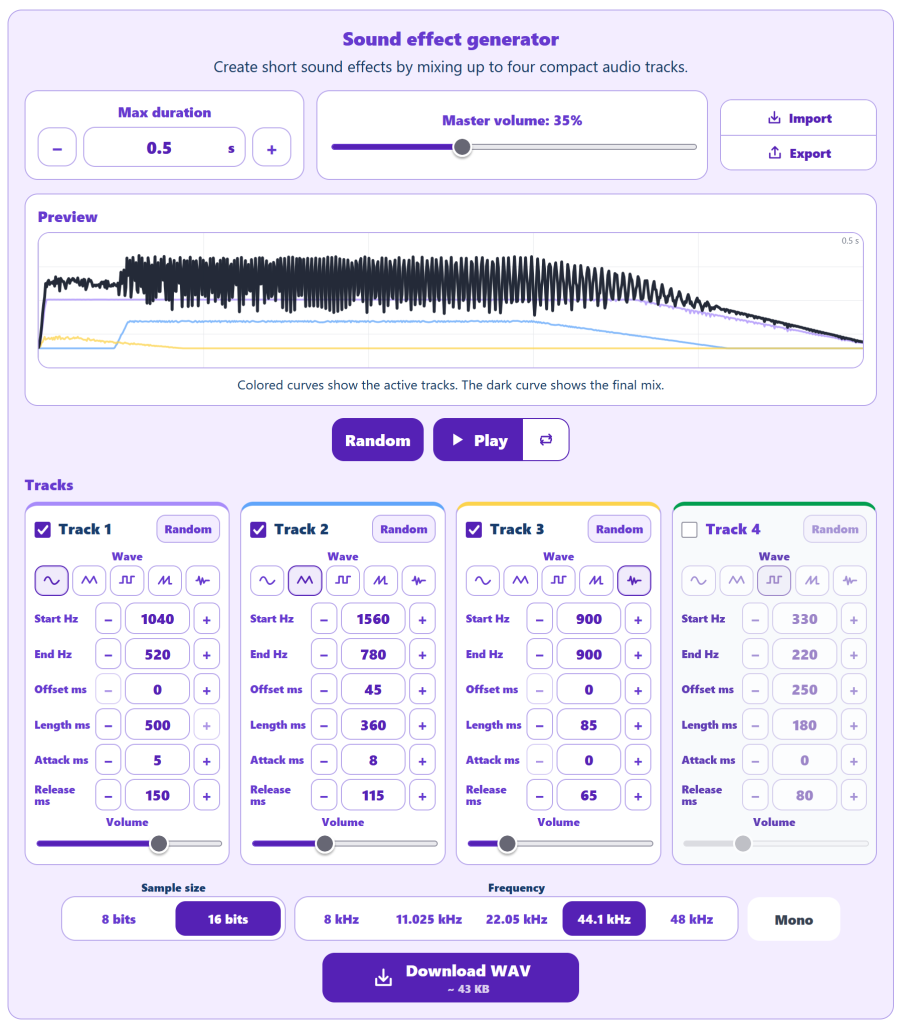
The Sound Effect Editor makes it possible to build short audio effects for an interface, button, alert, video or game prototype. It works like a small synthesizer capable of combining up to four tracks. For each track, you can adjust parameters including the start and end frequencies, start time, duration, attack, release and volume.
Different waveforms produce very different characteristics: sine creates a relatively pure sound, triangle adds more harmonics, square produces a stronger electronic character, and sawtooth creates a richer and more aggressive result. A noise source can also be added for impacts, bursts or textures. A single track is therefore enough to create a basic beep, while combining several tracks makes more elaborate effects possible.
The sound effect can be played in a loop while adjusting its settings and then exported as a WAV file. Its parameters can also be saved separately to continue working on it later: unlike the final audio file, this settings file preserves the structure and configuration of the sound.
The Automatic Sound Effect Generator takes a complementary approach. Instead of building every sound manually, it generates several suggestions with randomized parameters in a single operation. Each result can be played, looped, selected or exported. When a sound seems interesting, it can be transferred directly to the editor with its tracks and settings, allowing it to be refined instead of starting again from scratch.
Together, the two tools form a small workflow: the generator helps explore many possibilities quickly, while the editor makes it possible to modify and finalize the selected results. Generated sounds can be exported using different WAV settings and used freely in personal or commercial projects.
Simple, fast and local audio tools
The philosophy behind the Audio category is not to replace a DAW, audio editor or complete music production application, but to provide focused tools for specific needs: working on rhythm, calculating a frequency, testing headphones or quickly creating a short sound.
Calculations, signals and files are generated directly in the browser. A frequency can be synthesized with Web Audio, a sound effect can be built from several tracks and a WAV file can be created locally, without sending the content to a server. All 15 tools are available for free in AppErgo’s Audio category, with no account or installation required.