
How many days are there between two dates? What date will it be after adding 90 days? Which ISO week does an event fall in? How many days remain before a deadline? These questions all involve the calendar, but they do not require the same calculations. AppErgo’s Date category brings together 15 tools designed for these different uses. They can measure periods in days, weeks, months or quarters, calculate an age, add or subtract days, locate a date within the calendar and prepare printable calendars.
Measure the period between two dates
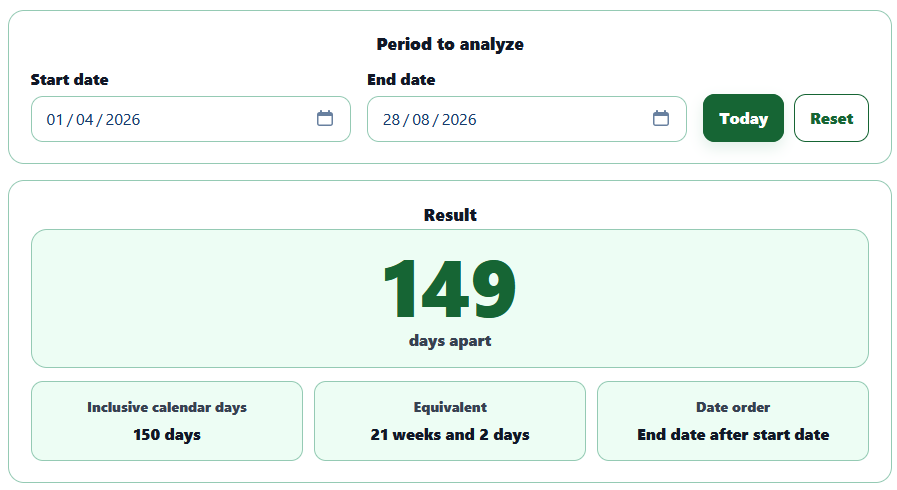
The Days Between Dates tool calculates the exact difference between a start date and an end date in calendar days. Saturdays and Sundays are therefore counted like any other day. It also distinguishes between the difference between two dates and the number of days included in the period: from the 1st to the 3rd of a month, the difference is 2 days, but the period includes the 1st, 2nd and 3rd, making 3 inclusive days.
When only Monday through Friday should be counted, Business Days Between Dates excludes Saturdays and Sundays. The rule is deliberately simple: public holidays are not removed because they depend on the country, region and sometimes the industry. A public holiday falling on a Monday is therefore still considered a business day by this tool.
Weeks Between Dates expresses the same type of period as complete weeks plus remaining days. A difference of 25 days becomes, for example, 3 weeks and 4 days. This should not be confused with ISO week numbers: here, a week simply represents a fixed duration of seven days.
Months Between Dates requires a different calculation because months do not all have the same length. The tool uses the real calendar to determine the number of complete months followed by the remaining days, rather than assuming that every month contains 30 days. It can therefore produce a result such as 2 months and 12 days. A decimal estimate is also provided, but it necessarily relies on an average month length and is therefore less precise than a true calendar-based breakdown.
The Quarters Between Dates calculator applies the same principle to longer periods. A quarter represents three actual calendar months rather than a fixed number of days. The result can therefore be displayed as 5 quarters, 2 months and 21 days, which can be useful for project tracking, training periods or administrative calculations.
Calculate an age, deadline or new date
The Exact Age tool uses a date of birth and a reference date to calculate an age precisely in years, months and days. Today’s date is selected by default, but it can be changed to find someone’s age at a past or future date. The calculation takes the actual birthday, different month lengths and leap years into account, something that a simple subtraction between two years cannot do accurately.
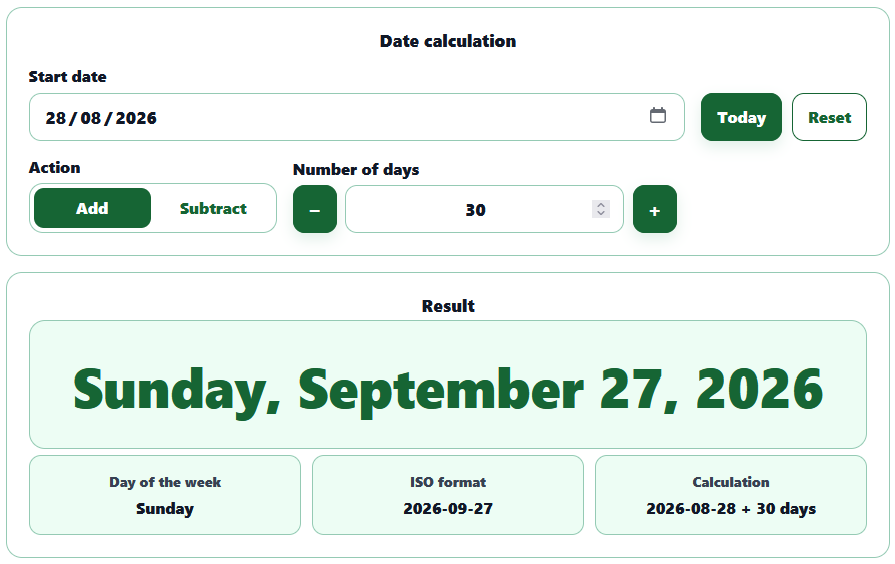
Date in X Days starts with a known date and a number of days to find the resulting date. It can move forward or backward through the calendar, for example to determine a deadline 30 days from now or find the date that was 100 days earlier. The calculation uses calendar days, so weekends and any public holidays remain included.
The Countdown to Date tool automatically compares a target date with today. If the date is in the future, it displays the number of days remaining; if it is today, it states that directly; and if the date has already passed, the tool instead shows how many days have elapsed since then. It can therefore be used to track a birthday, departure, launch or any other deadline.
Find a date’s position in the calendar
The Day of Week tool immediately tells you whether a past or future date falls on a Monday, Tuesday or another day. It also indicates whether the date falls on a weekday or weekend and provides the corresponding ISO week number. This avoids having to manually browse through years of calendars to identify the weekday of a specific date.
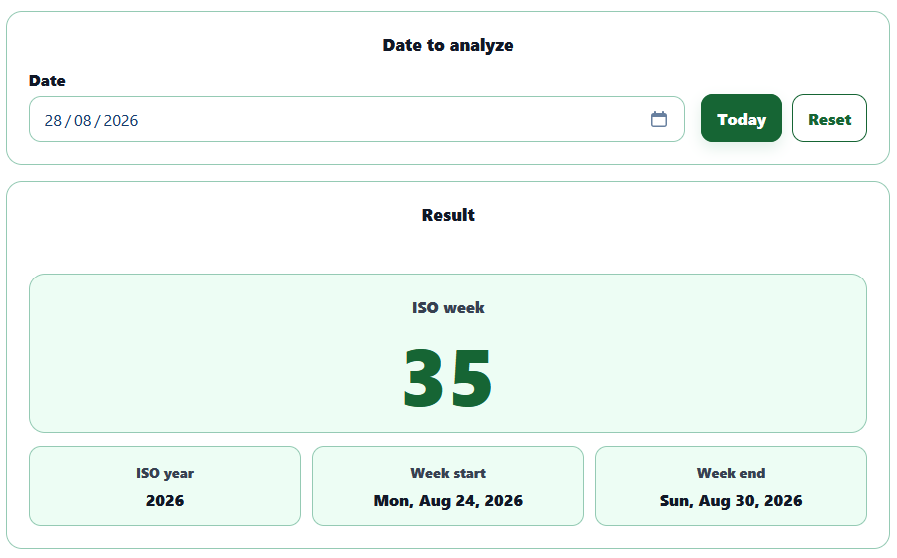
The Week Number tool focuses on the ISO standard. An ISO week begins on Monday and ends on Sunday, while week 1 is the week containing the first Thursday of the year. This rule explains why some days at the beginning of January can belong to the final ISO week of the previous year, and why some days in December can already belong to the following ISO year.
The ISO Weeks in a Year tool provides a broader view by listing every week of a year with its number, Monday and Sunday dates. Depending on the calendar, a year can contain 52 or 53 ISO weeks. The list can be copied or downloaded, which can be useful when preparing an annual schedule using references such as W12, W13 or W14.
Day of Year uses another numbering system: January 1 is day 1 and December 31 is day 365, or day 366 in a leap year. The tool shows the exact position of the selected date, the total number of days in the year and how many remain before the end of the year. This type of reference can be useful in statistics, technical logs or certain planning systems.
Finally, Leap Years can check a specific year or find all leap years within a range. The Gregorian calendar rule is more precise than simply “every four years”: a year divisible by 100 is normally not a leap year unless it is also divisible by 400. This is why 2000 was a leap year while 1900 was not.
Display and print calendars
The Monthly Calendar lets you choose a month and year to immediately display the corresponding calendar grid. ISO week numbers can be shown or hidden, and the tool also provides information about the structure of the month, such as the number of days and weekends. The print layout is designed for an A4 sheet in landscape orientation.
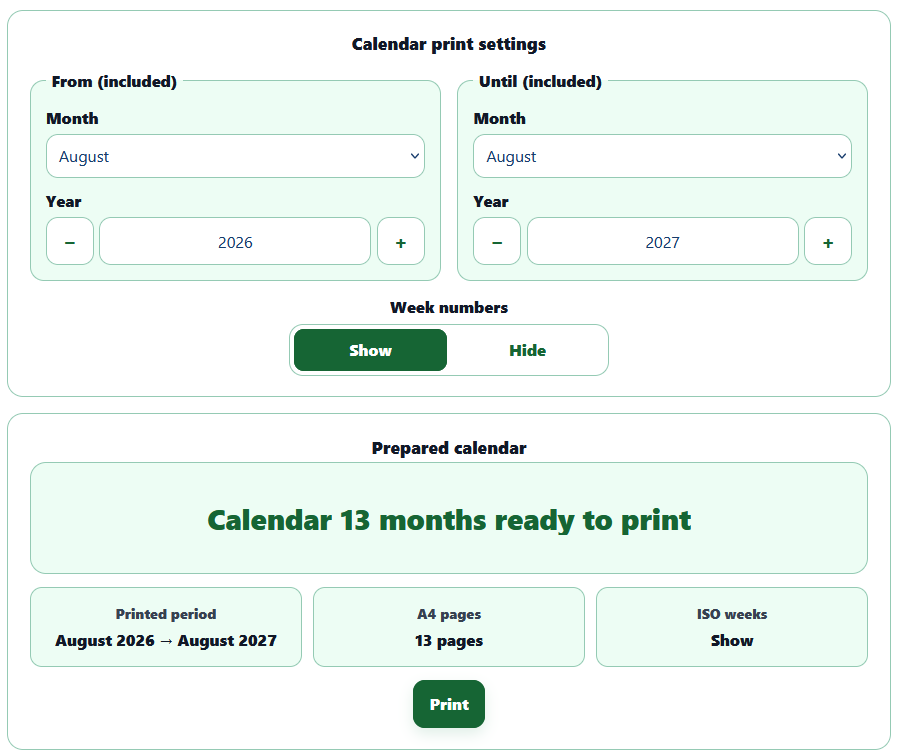
For a longer period, the Printable Year Calendar generates several consecutive months. The starting month, year, number of months and display of ISO week numbers can all be selected. Each month has its own A4 landscape page, making it better suited to a wall calendar, school schedule or project planner than an entire year compressed onto a single sheet.
Important distinctions in date calculations
Results can vary depending on how a period is defined. From Monday to Friday, the difference between the two dates is 4 days, but the period contains 5 days when both endpoints are included. Those five days are also considered business days by AppErgo because none of them falls on a Saturday or Sunday.
It is also important to distinguish between fixed units and calendar units. A week always contains seven days, while a month can contain 28, 29, 30 or 31. A conversion into weeks can therefore be exact, whereas a value such as 2.4 months remains an approximation based on an average month length. For months and quarters, a result expressed as complete units followed by remaining days represents the real calendar more accurately.
Finally, a date is not simply a duration. A duration of three hours can exist independently of the calendar, while a date such as August 24, 2026 represents a precise position within it. This is why Date tools take months, leap years and ISO rules into account, whereas duration tools can work with fixed units such as seconds or minutes.
Simple, fast and local date tools
The Date category brings together several specialized calculators rather than one complex tool: measuring a period, calculating an age, finding a deadline, identifying an ISO week or preparing a calendar are related operations, but they rely on different rules.
Calculations are performed directly in the browser. Dates entered to determine an age, deadline or interval therefore do not need to be sent to a server to produce the result. All 15 tools are available for free in AppErgo’s Date category, with no account or installation required.